
Views: 222 Author: Farwise Lighting Publish Time: 2026-11-03 Origin: Site


Content Menu
● What Does Resetting LED Strip Lights Actually Do?
● Before You Reset LED Strip Lights
>> Identify the Controller and Power Supply
>> Save Your Existing Settings
>> Check for Conditions That Require Stopping
● How to Reset LED Strip Lights With a Safe Power Restart
>> Step 1: Switch Off the Lighting System
>> Step 2: Follow the Manufacturer's Restart Instructions
>> Step 3: Inspect Accessible Connections
>> Step 4: Restore Power and Test Locally
● How to Factory Reset an LED Strip Controller
>> Controllers With a Reset or Multifunction Button
>> Smart LED Strip Lights Controlled Through an App
>> Brand-Specific Button Sequences
● How to Reset LED Strip Lights Without a Remote
● Troubleshooting LED Strip Lights That Still Do Not Work
>> Flickering Is Not Automatically a Reset Problem
>> A Dark Section Needs a Different Investigation
● Furniture Lighting: Check Sensors Before Resetting
>> Cabinet and Wardrobe Lighting
● An Illustrative Diagnostic Walkthrough
● Prevent Repeat Problems With Better Installation Handover
● Plan Your Furniture Lighting With Farwise
>> 1.Do All LED Strip Lights Have a Reset Button?
>> 2.Will Unplugging LED Strip Lights Erase Their Settings?
>> 3.Can a Factory Reset Fix Flickering?
>> 4.Why Do My LED Strip Lights Work Locally but Not Through the App?
>> 5.Do LED Silicone Strip Lights Reset Differently?
>> 6.When Should I Contact the Manufacturer?
Knowing how to reset LED strip lights starts with identifying what actually needs resetting. An unresponsive controller, a lost wireless connection, and a damaged lighting strip can produce similar symptoms, but they require different solutions.
In many installations, the strip provides the light while a separate controller manages brightness, colors, wireless communication, or automation. Consequently, "resetting the strip" usually means restarting or resetting its control system.
A basic strip without a programmable controller may have no stored settings to erase. Disconnecting its power simply switches it off.
Before troubleshooting, distinguish between these actions:
| Action | Purpose | What to expect |
|---|---|---|
| Power restart | Clear a temporary operating problem | Settings often remain available |
| Remote re-pairing | Restore communication with a compatible remote | Pairing steps depend on the controller |
| Factory reset | Return a supported device to its initial configuration | Reconnection and setup may be necessary |
| App reconnection | Restore access through the control platform | The lighting hardware may not need resetting |
There is no universal reset button, button combination, or power-switching sequence for every LED lighting system.
Look for the product label, installation instructions, order documentation, or controller model. In furniture lighting, the controller may sit behind a removable panel or inside an accessible service compartment.
Check whether the installation uses:
- A handheld remote.
- An inline control box.
- A smart lighting app.
- A door, touch, or motion sensor.
- A wall-mounted dimmer.
- A combination of controls.
Record which part still responds. If the local button works but the app does not, that distinction immediately narrows the investigation.
Before a factory reset, record device names, room assignments, schedules, scenes, and remote pairings where applicable.
For larger furniture projects, photograph the controller label and accessible cable arrangement. This helps the installer or supplier identify the original system without dismantling finished cabinetry.
Do not publish photographs containing account credentials or private network details.
Disconnect the installation and seek qualified assistance if you notice scorching, a burning smell, damaged insulation, moisture around electrical components, or unusual heat.
Do not open a power supply or alter fixed electrical wiring to perform a reset.
A control procedure cannot repair unsafe connections, damaged insulation, or water intrusion.
A power restart is a useful first step when the lighting system becomes temporarily unresponsive and there are no signs of physical damage.
Turn the lights off using their normal control.
Then disconnect the accessible plug-in power supply from the outlet. An app's off command may leave the controller powered, so it does not necessarily restart the electronics.
For hardwired lighting, use the installation's designated isolation method. Leave uncertain electrical work to a qualified professional.
Allow the system to power down according to its instructions.
Avoid repeatedly switching the supply on and off. Some smart products interpret a particular switching sequence as a commissioning or reset command, while others do not.
A sequence intended for another brand may create additional setup problems rather than solve the original fault.
With power disconnected, visually check user-accessible connectors for incomplete insertion, contamination, or obvious damage.
Do not pull on wiring, cut connectors, or force plugs into place. Similar-looking connectors are not necessarily interchangeable.
For LED silicone strip lights, avoid stretching the enclosure or sharply bending the strip while checking its connection.
Reconnect the supply and test the simplest available control first.
Try the local button before the remote, and the remote before the app where those options exist. This separates basic lighting operation from communication problems.
Observe whether the original symptom disappears, remains unchanged, or returns only under particular conditions.
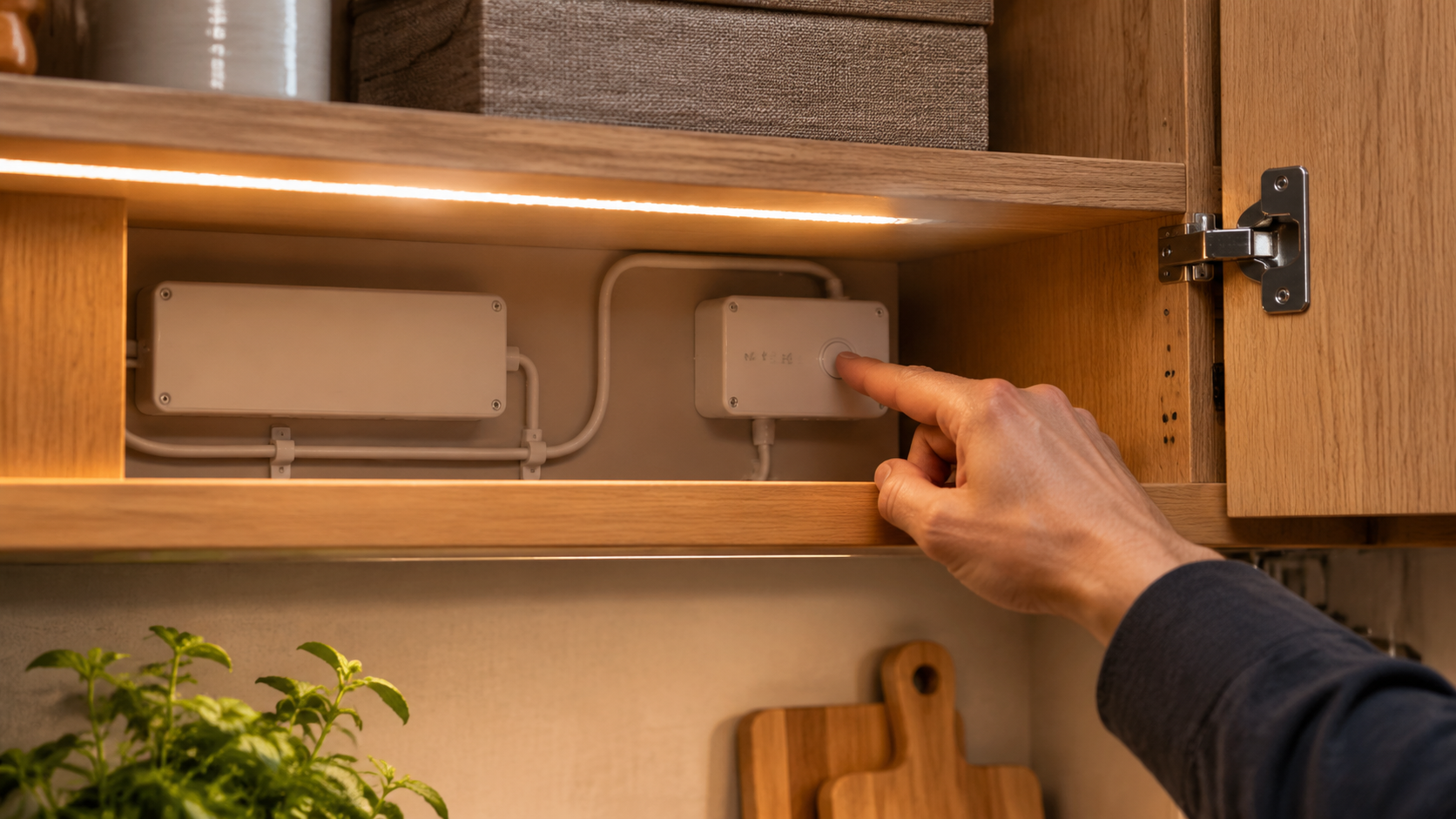
Use a factory reset when the manufacturer recommends it for persistent connection problems, ownership transfer, or unsuccessful commissioning.
Do not treat it as routine maintenance.
Find the instructions for the exact controller. Confirm:
1. Which button performs the reset.
2. Whether power must remain connected.
3. What button sequence is required.
4. Which indicator confirms completion.
5. How to reconnect the device afterward.
Never assume that holding any available button restores factory settings. It may instead change operating mode, start pairing, or perform another function.
Check the official support instructions before deleting a device.
Depending on the platform, removing a light may initiate a reset, remove only its account association, or require additional steps.
For example, Philips Hue documents a reset route through deleting a working light in its Bridge-connected app. That procedure should not be generalized to unrelated systems.
After resetting, add the device again and verify its room assignment, schedules, and linked controls.
Some Govee support instructions describe holding the power button while pressing the control box's middle button repeatedly.
That is a manufacturer-specific procedure, not a general instruction for LED strips. Confirm that the instructions apply to your exact product before attempting them.
For an unfamiliar controller supplied with furniture, request the original operating guide rather than guessing.
A missing remote does not automatically prevent recovery.
First, check for an accessible local control or an existing app connection. Either may provide a supported restart, pairing, or reset route.
If neither is available, identify the controller and ask the supplier about compatible replacement controls.
Replacing a remote's battery usually does not justify erasing the entire lighting system. Check battery orientation, remote compatibility, and the product's pairing instructions first.
Avoid purchasing a replacement based only on appearance. The communication method and controller compatibility must also match.
| Symptom | What to investigate | Why another reset may not help |
|---|---|---|
| Entire installation remains dark | Supply, accessible connections, controller, and switching | The problem may involve power delivery |
| App cannot connect, but local control works | Pairing, permissions, network, or account setup | Basic lighting operation is still available |
| Flickering occurs while dimming | Driver and dimmer compatibility | A reset cannot correct an unsuitable pairing |
| One section stays dark | Local connection or strip damage | A localized fault needs physical investigation |
| Lights switch off unexpectedly | Timers, sensors, automation, or power interruption | Another control may be issuing the command |
| Colors remain incorrect | Operating mode, channel connections, or component compatibility | The cause may lie outside stored settings |

Lighting-control guidance identifies compatibility and dimming adjustments as possible causes of flicker.
Notice whether the problem appears only during dimming or affects the entire operating range. Share that observation with the installer or supplier.
Do not replace a driver with an arbitrary alternative. Any replacement must suit the strip, controls, installation, and applicable electrical requirements.
If most of the strip responds normally while one section remains dark, the controller is still influencing at least part of the installation.
A local connection, damaged section, or another physical fault deserves attention.
Do not remove individual light-emitting components or cut silicone-encased strips unless the manufacturer expressly permits the procedure.
Furniture lighting introduces controls that general-purpose reset guides often overlook.
A light that appears unresponsive may be following a door sensor, touch switch, motion detector, or automated scene.

Check whether a door sensor is aligned and unobstructed. Confirm that stored objects or a changed door position are not affecting its operation.
Where the system provides a manual operating mode, use it according to the instructions to distinguish sensor behavior from a lighting fault.
Do not bypass sensor wiring as a troubleshooting shortcut.
Investigate moisture before attempting a reset.
A protected strip does not automatically make every connector, controller, and power supply suitable for the same exposure.
If water has reached electrical components, isolate the installation and arrange inspection rather than repeatedly restoring power.
Check schedules, motion-triggered scenes, and sleep routines when bed lighting turns off unexpectedly.
If local control works reliably but an automated routine does not, review the automation before replacing the strip or resetting every connected device.
Consider wardrobe lighting that stopped responding after furniture adjustments. The strip still works through its local control, but opening the door no longer activates it.
A structured investigation would:
1. Confirm that local control operates the lighting consistently.
2. Inspect the accessible door sensor and its alignment.
3. Review the sensor's operating mode.
4. Check its user-accessible connection with power isolated.
5. Contact the supplier if normal operation does not return.
This example illustrates diagnostic reasoning, not a documented customer project.
Its value lies in separating the working lighting components from the control function that failed. A factory reset might erase useful settings without addressing the actual cause.
Reliable lighting depends on serviceability as well as initial appearance.
For furniture manufacturers, contractors, and distributors, a useful handover package should identify:
- The strip, driver, controller, and compatible accessories.
- Accessible service locations.
- Approved restart and reset procedures.
- Remote replacement and pairing instructions.
- Sensor operating modes.
- A clear technical support contact.
Keep controllers accessible without exposing users to electrical hazards. Label separate lighting zones so a technician can identify the affected circuit without disturbing unrelated furniture.
Validate the complete system together. A strip that works alone may behave differently once combined with dimming, sensing, or automation controls.
Farwise Technology Co., Ltd. brings 16 years of LED lighting manufacturing experience to furniture and interior lighting projects.
Its product offering includes LED silicone strip lights and furniture lighting solutions for cabinets, wardrobes, bathroom vanities, and beds. OEM and ODM support covers dimensions, functions, system arrangements, and appearance.
For a new project or an existing installation, send Farwise your application, control requirements, installation layout, and photographs of the accessible components. For troubleshooting, include the exact symptom and controller identification.
Request a coordinated lighting proposal with clear operating, pairing, and maintenance instructions—not simply a replacement strip selected by appearance.
No. Some controllers provide a reset function, while basic strips may have no programmable settings. Check the controller rather than assuming the strip contains a button.
Not necessarily. A normal power restart often preserves settings. However, certain switching sequences can trigger special functions on some products, so follow the instructions.
It may help if a temporary control problem causes the symptom. It will not repair damaged connections or resolve an incompatible driver and dimmer combination.
The problem may involve wireless connectivity, permissions, account configuration, or pairing. Working local control helps distinguish communication trouble from a complete lighting failure.
The silicone enclosure does not determine the reset method. The connected controller and its firmware determine which restart, pairing, or factory-reset procedures are available.
Contact the manufacturer when instructions are unavailable, faults return after a supported reset, or compatibility is uncertain. Stop using the installation immediately if there are signs of electrical damage.
1. LEDYi Lighting. "How To Reset LED Strip Lights?" Updated September 11, 2023. Original article reviewed for topic coverage and restructuring. This rewrite replaces generalized reset sequences with device-specific guidance and separates control problems from physical faults. [ledyilighting]
2. Philips Hue. "How to Factory Reset Philips Hue Lights." Official guidance supporting the manufacturer-specific app reset example and the need to distinguish reset procedures by system. [philips-hue]
3. Philips Hue. "How to Fix LED Strip Lights?" Official troubleshooting guidance covering connections, restarting, and factory resetting as separate troubleshooting stages. [philips-hue]
4. Govee Canada. "FAQs." Official support guidance illustrating a product-specific control-box reset sequence. Applicability must be checked against the exact product instructions. [ca.govee]
5. Lutron. "Flickering or Flashing LED Lights." Official troubleshooting guidance supporting the discussion of dimming compatibility, flickering, and low-end adjustment. [support.lutron]
6. Lutron. "LED Compatibility Tool." Manufacturer resource for investigating compatible lighting and dimming combinations. [webtools.lutron]


